Your AI coding agents, in one Roblox studio.

Run Claude Code, Codex and Gemini CLI side by side on your Roblox game, each on its own branch.

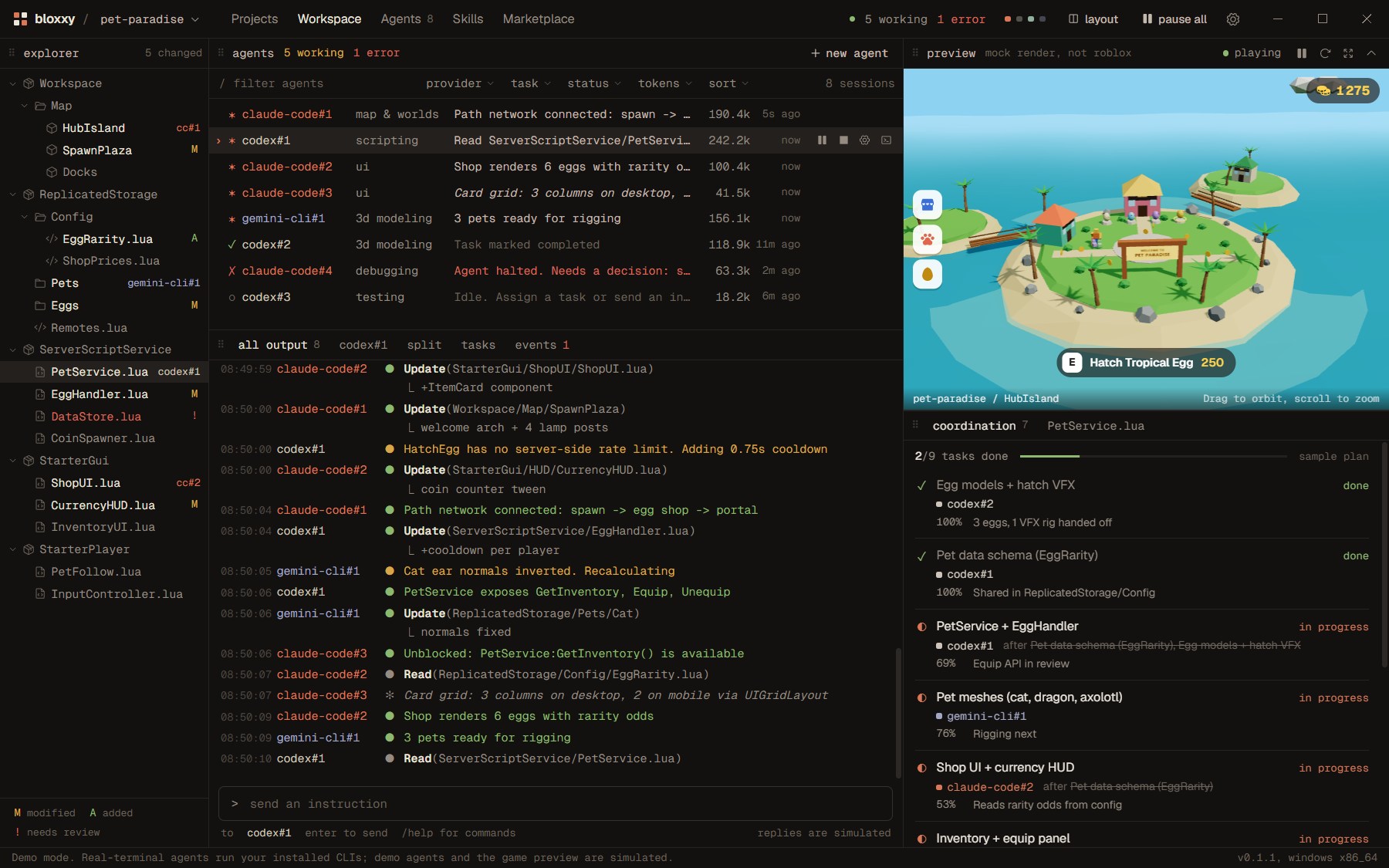
The Bloxxy workspace: a project file tree, a list of eight AI agents with their status, a shared terminal feed, a 3D preview of a tropical Roblox island and a task board.
Bloxxy running its demo project, a pet simulator.

Claude Code writes the egg system. Codex builds the shop. Gemini adds the leaderboard. Bloxxy keeps them out of each other's way.

One window for every agent you run.

Every agent in one list

Start several Claude Code, Codex or Gemini CLI sessions at once. See who is working, who is waiting and who needs you, with each agent's latest line of output.

  • claude-code#1map & worldsPlanning hub layout: spawn plaza at origin189.5k
  • codex#1scriptingUpdate(ServerScriptService/EggHandler.lua)236.5k
  • claude-code#2uiRead(StarterGui/ShopUI/ShopUI.lua)107.7k
  • claude-code#3uiWaiting on codex#1: PetService API41.0k
  • gemini-cli#1testingRun(TestEZ specs for EggHandler)58.2k
  • codex#23d modelingTask marked completed118.9k
  • claude-code#4debuggingAgent halted. Needs a decision: session lock?63.3k
Your real project

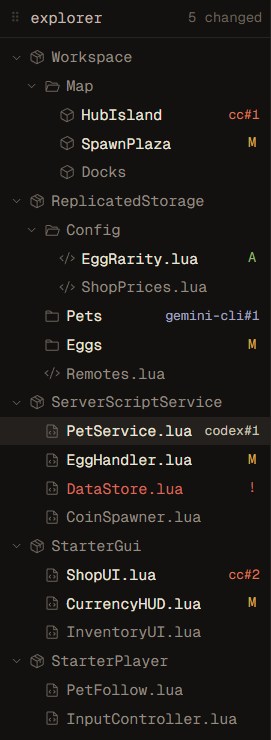
The explorer reads your Roblox project from disk and marks what each agent changed.

The file explorer showing Workspace, ReplicatedStorage, ServerScriptService, StarterGui and StarterPlayer, with modified files marked.

Real terminals, not a wrapper

Each agent is the official tool you installed, running in its own terminal. Type into it directly, or follow everything in one shared feed.

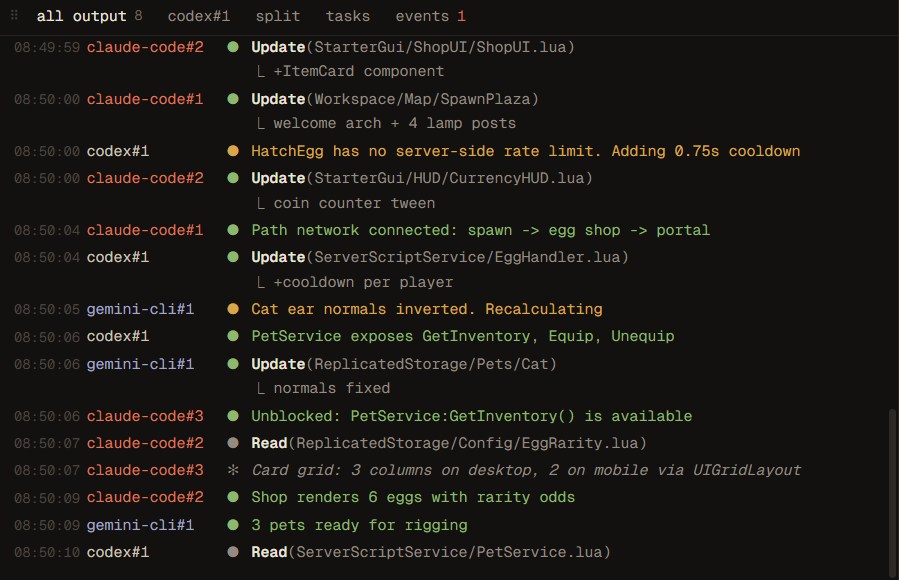
The shared terminal feed: agents reading, updating and building Roblox scripts, with timestamps.

One branch per agent

Every agent works in its own git worktree, so two agents never edit the same file at the same time. Merge what you like.

  • bloxxy/claude-code-1 3 files changed
  • bloxxy/codex-1 2 commits
  • bloxxy/claude-code-2 no changes yet
  • main untouched
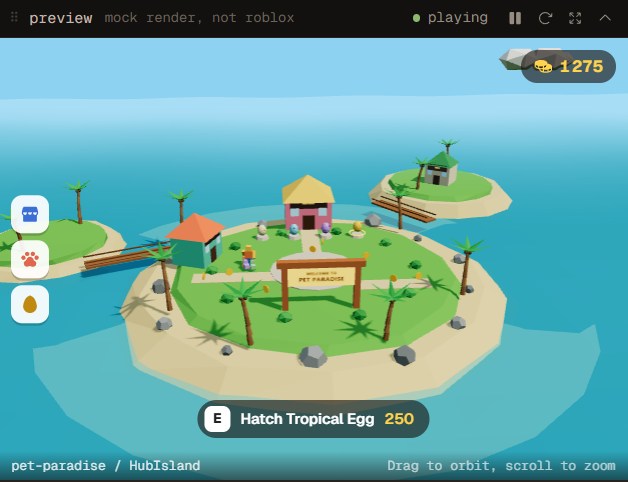
A 3D preview of a tropical pet simulator island with an egg shop and palm trees.

Coming next

Roblox skills that keep each agent on its job, and a live preview synced from Roblox Studio. The preview above is a mock-up of where it's going.

Compare

Not another agent. The place your agents work together.

Bloxxy doesn't replace these tools. It runs the official ones you already have, side by side, on one Roblox project.

Feature Claude Code Codex Antigravity Bloxxy
What it is Anthropic's coding agent for your terminal OpenAI's coding agent: CLI, IDE extension and cloud Google's agent-first code editor A workspace that runs those agents together
Built for Any codebase Any codebase Any codebase Roblox games: Luau, Rojo, the Studio project layout
Uses your Claude plan Yes No No Yes, through Claude Code
Uses your ChatGPT plan No Yes No Yes, through Codex
Claude, OpenAI and Gemini agents in one window No No Several models, one editor Yes, each as its own agent
Each agent on its own branch, set up for you Possible with git worktrees Cloud tasks run separately Varies by workspace Yes, automatic

Based on each product's public documentation, October 2026. Claude Code, Codex and Antigravity are products and trademarks of Anthropic, OpenAI and Google. Bloxxy is independent and not affiliated with them or with Roblox Corporation.

You already pay for the AI. Bloxxy doesn't add a token bill.

Your own accounts
Each tool signs in with your Claude, ChatGPT or Google account, inside its own terminal. Bloxxy never sees your passwords or keys.
Your code stays on your PC
Projects, prompts and agent output go between your computer and the AI providers you chose. None of it is sent to Bloxxy.
Nothing runs until you ask
Starting an agent opens its terminal and waits. You spend your plan's usage only when you give it work.
Signed, automatic updates
New versions install from inside the app, and each one is checked against Bloxxy's signing key before it runs.

Free while it's in beta.

Sign up with your email the first time you open Bloxxy. Beta users hear first when paid plans and early-access offers arrive.

Download for Windows

You'll need

  • Windows 10 or 11, 64-bit
  • At least one agent tool: npm install -g @anthropic-ai/claude-code npm install -g @openai/codex npm install -g @google/gemini-cli
  • Git, for one branch per agent

During the beta Windows may show "Windows protected your PC". Choose More info, then Run anyway. Code signing comes before the full release.

FAQ

Questions people ask first.

Does it replace Roblox Studio?
No. You still build and playtest in Studio. Bloxxy is where your AI agents work on the project's files, best with a Rojo project.
Which agents can I run?
Claude Code, Codex and Gemini CLI, as many sessions as your plans allow. Antigravity has no command-line tool yet, so it isn't supported.
What does the beta cost?
Nothing. You only use your own AI plans. Paid plans come later, and beta users hear about them first.
Is there a Mac version?
Not yet. Windows comes first; Mac follows after the beta.
Why do I need to confirm my email?
It keeps the beta to real people and makes sure launch news only goes to those who asked for it. You can unsubscribe in Settings at any time.
Can agents break my game?
Each agent edits its own branch, never your main one directly. You review the changes and merge what you want.